Kling 3.0 AI Video Generator for Busy Scenes
Kling 3.0 is the newest Kling model on MarketVideo, made for crowded shots: a person, an animal, a moving background and a change of shot in one clip, with each subject keeping its own look from frame to frame.
Make a Kling 3.0 videoReady in minutes · Free templates every day
Older versions tended to mix details between subjects under that load. The templates gathered here lean on this strength: hugs with big wild animals and broadcast-style shots from the stands of a stadium.
Pick a scene and add your photo
Open one of the Kling 3.0 templates below, upload a clear shot of you or of a person who gave consent, and run it. The card already holds the scene, the animal and the camera move, so the picture is your only input. Its star cost shows before you start.
Several subjects without mix-ups
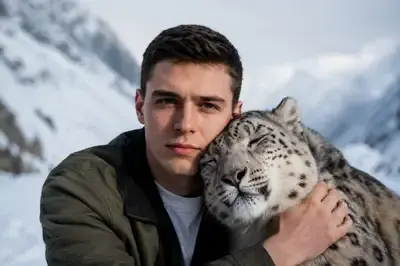
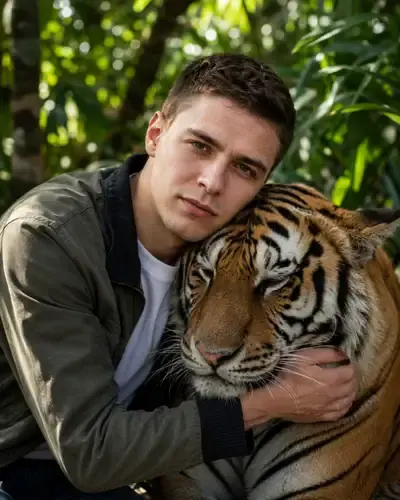
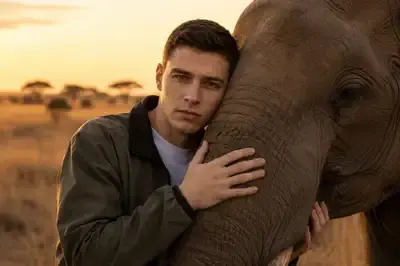
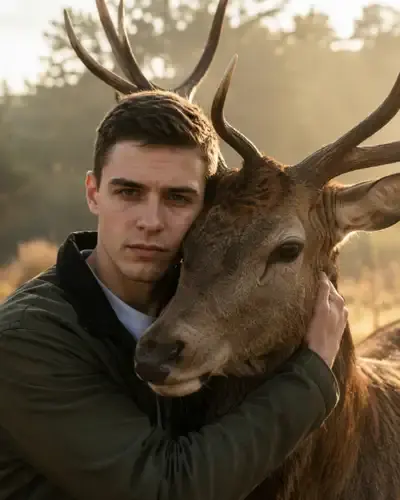
In the hug templates a person leans into a snow leopard, a tiger, an elephant or a deer while the animal breathes, blinks or reaches toward them. Fur, faces and light stay with their owner instead of trading places between frames. The stadium cards add a crowd and a live-broadcast zoom around you.
Closer to what you wrote
When a scene exists only in your head, open Create video, describe it, optionally attach a photo and choose Kling 3.0. Compared with Kling 2.6 it follows the order of actions more closely: who moves, what they do and what comes next. Earlier models often reduced a long description to one main motion.
When a simpler model will do
A plain portrait that only needs to blink or smile does not call for this model; Kling 2.6 or another option on Create video can handle it. The two differ in star cost, and the picker displays both before anything runs. Celebrities and photos of strangers are off limits.
Ready-made templates
FAQ
Is Kling 3.0 free to use?
Generation is paid in stars. Confirming the email of a new account adds 5 of them, and some templates wear a Free today mark that allows a capped number of runs each day. Extra stars are sold as plans and packs on Pricing.
How is Kling 3.0 different from Kling 2.6?
Version 3.0 holds scenes where several things happen at once and keeps subjects from swapping details between frames. It also sticks closer to the sequence of actions in a prompt, while 2.6 suits simpler motion.
Can Kling 3.0 turn an image into video?
Yes. Every template here starts from a photo you upload, and on Create video you can attach a picture to your own description before choosing Kling 3.0. The result downloads as a video file and stays in your history.