Make Blurry Photos Clear: Find Your Kind of Blur First
To make blurry photos clear, first figure out why the shot went soft: a shaking hand, a focus miss, too few pixels or a chat app that squeezed the file. Each cause responds differently to AI sharpening.
Sharpen a photoReady in minutes · Free templates every day
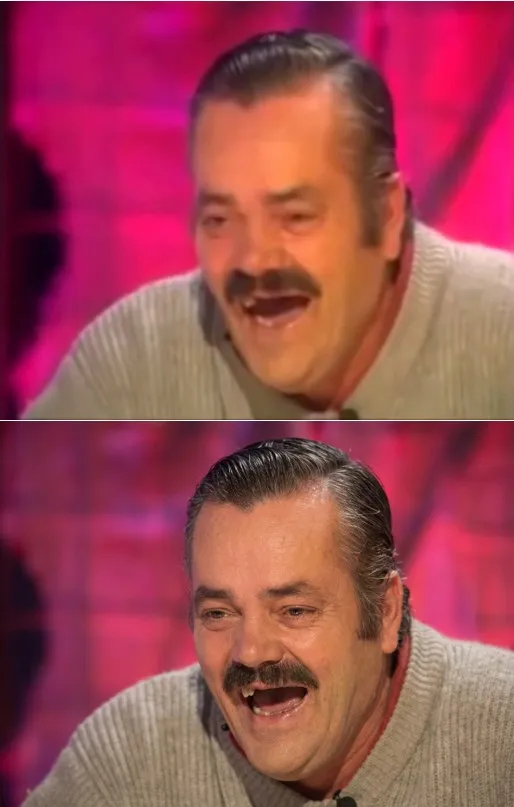
Keep one thing in mind before you upload. An AI photo model does not uncover hidden pixels; it paints believable ones. It knows what eyelashes, knit fabric and brickwork look like and rebuilds them from hints. Texture on a face usually comes back. A house number or tiny print on a page gets invented, and the invented version is often wrong.
Tell the four kinds of blur apart
Shake smears everything in one direction: street lights turn into dashes and letters get double edges. A focus miss softens the subject evenly into round blobs while the background may stay crisp. Too few pixels show up as stair steps along diagonal lines. A file squeezed by a chat app breaks into small squares around high-contrast edges. Shake and focus misses respond best; heavy compression responds worst.
Sharpness and size are different problems
A large file can still be mushy, and a tiny one can be perfectly crisp. If the picture is already big but detail is missing, enlarging it only stretches the mush. If it is a thumbnail a few hundred pixels across, enlarge it first and ask for sharpness second, otherwise the model has almost nothing to build texture from.
What comes back on a portrait and what gets invented
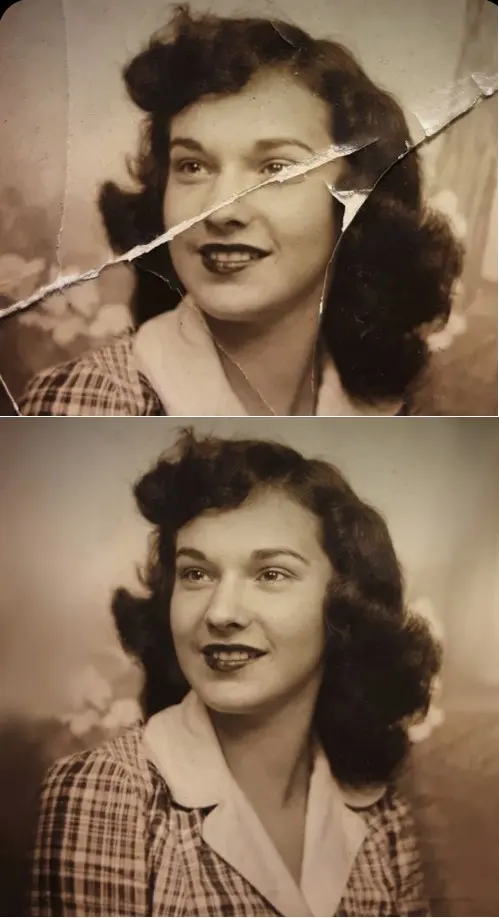
Faces are where this works best. Hair, pores, eyelashes and the catchlight in an eye are textures the model has seen countless times, so it restores them with confidence. Text is the opposite: a sign, a receipt, a license plate or a QR code returns as a plausible guess, because the exact letters cannot be read out of a smudge. If the words matter, check them against the source or retake the shot.
How to run it on MarketVideo
For a portrait, the Photo Restoration card in the grid is the shortest path: its prompt asks the model to sharpen the eyes and facial details, balance exposure and keep pores and skin texture while preserving identity. For anything else, go to Create photo, upload the shot, choose NanoBanana PRO or another photo model and name the defect in plain words.
Ask for the fix, not for perfection
Describe the defect rather than the dream: “remove motion blur, keep the facial features” works better than “make it look good”. Ask the model to leave film grain and natural skin tone alone, or the face turns plastic and the edit becomes obvious. Work from the original file, not a forwarded copy, since every trip through a messenger strips away detail for good.
Ready-made templates

FAQ
Is enlarging a photo the same as making it clear?
No. Resolution is how many pixels a picture has; clarity is how much detail sits inside them. Stretching a soft photo just makes the softness bigger. A tiny source gets enlarged first, while a large but fuzzy one can go straight to detail recovery.
Why does the face look painted after sharpening?
The pass was probably too aggressive: the model pushed edge contrast and polished the skin. Run it again with a gentler request that asks to keep natural texture and grain and not to boost outlines. Downsizing the result can also hide some of the artificial crispness.
Can AI make blurry text readable again?
Only while the outline of each letter is still visible. From a fully melted smudge the model assembles characters of a similar shape, not the real ones, which produces a convincing mistake. For receipts, price tags and codes, verify every character by hand and never rely on the rebuilt version where accuracy matters.
Will the person still look like themselves?
The Photo Restoration prompt tells the model to keep identity and proportions, and a sharper source helps it hold the face. Likeness is still a goal rather than a promise, so look closely at the eyes and mouth before you share the picture. Upload only yourself and people who have said yes.
Can I make a blurry picture clear for free?
Partly. Registration is free, and verifying the email address drops five stars into the new balance, enough to test this on a couple of shots. The star price appears on each template before anything runs. Some templates go without charge on certain days under a Free today badge, up to a daily limit, and extra balance can be topped up from Pricing.