AI Photo Restoration for Old and Damaged Prints
AI photo restoration on MarketVideo repairs the damage on an old print, from creases and cracks to faded tones and torn corners, and can add color to a black-and-white shot.
Restore an old photoReady in minutes · Free templates every day
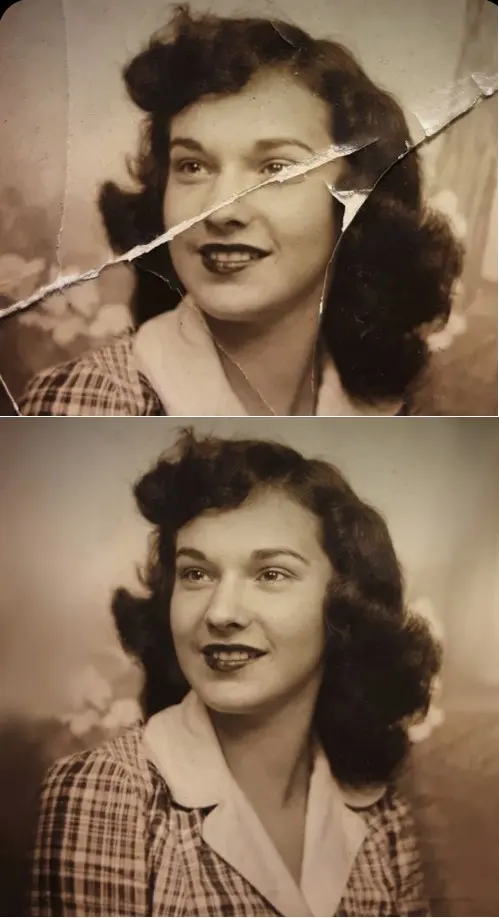
Upload a scan or a phone picture of the print, pick a restoration template and run it. The aim is to fix the paper, not the person: the templates are written to keep the original face, expression and age, so a grandmother pictured at thirty still looks thirty.
Creases, cracks and torn corners
Folds from an album, cracks in the surface and scratches are treated as damage to the paper. The Crease & Damage Repair template removes them and rebuilds the missing areas from what surrounds them. A fold running across a face is the most common case. Where a large piece is gone entirely, the filled area is a plausible guess rather than the lost original.
Faded, yellowed or flat prints
Old prints drift toward yellow or magenta and lose contrast. The Photo Restoration template evens out lighting and exposure, corrects white balance and sharpens the eyes and facial details while keeping skin pores and texture. After that pass the picture reads as a clear photograph again instead of a washed-out archive copy.
Adding color to black-and-white photos
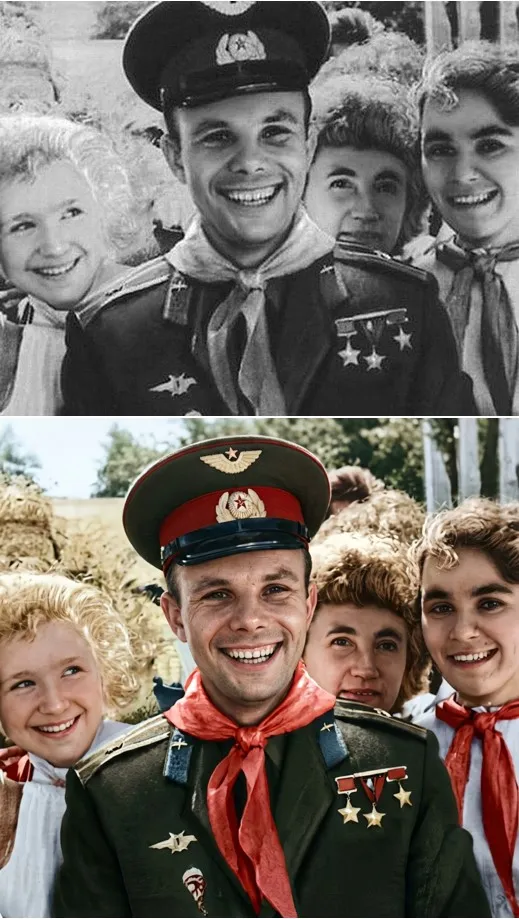
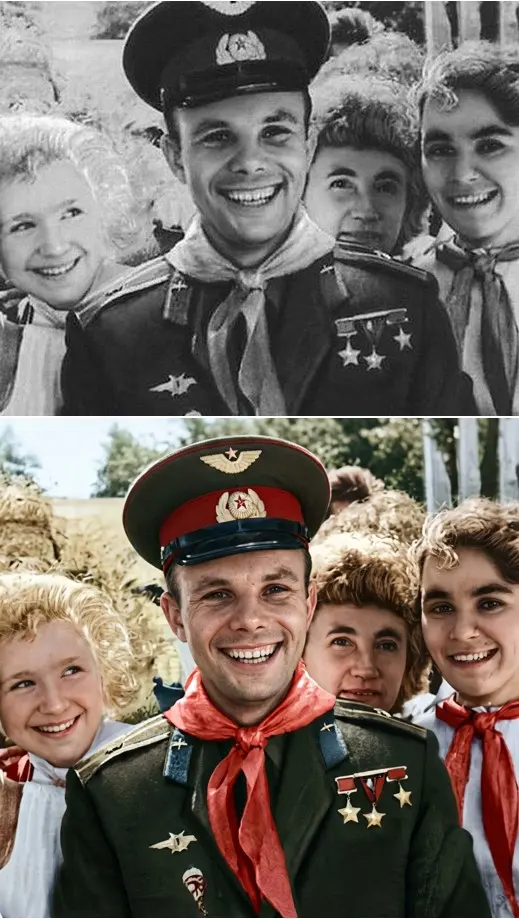
Color on an old monochrome shot is a reconstruction. The model picks believable tones for skin, clothing and background, but the exact shade of a dress from decades ago cannot be recovered. Restore & Colorize puts the weight on real skin texture and the original identity, bone structure and age. Treat the colors as a faithful impression, not a record.
What stays the same, and what to avoid
Age, features, expression and pose are kept. The restoration templates are told not to add wrinkles, not to beautify and not to modernize the face, so nobody comes back younger or restyled. Work with your own family pictures, or with portraits of relatives and friends who said yes; pictures of children belong to your own family albums. Portraits of famous people or strangers are not a fit here.
Ready-made templates

FAQ
Is AI photo restoration free here?
To start, yes. Sign up, confirm your email and the account opens with 5 stars, enough to try a restoration. Templates marked Free today allow a few runs per day at no charge. After that, top up stars on the Pricing page, either with a plan or with a one-off pack.
How is restoration different from animating an old photo?
Restoration returns a still image: the same picture, repaired and, if you like, colorized. Animation turns the photo into a short video in which the person moves. Many people do both, restoring the print first and then animating the clean version.
Do I need a scanner?
No. A phone picture of the print works if the light is even and there is no glare on the glossy surface. Shoot straight on, fill the frame with the photo and crop away the table or album page around it.
Can a badly torn photo be fully restored?
Only in part. Damage that leaves the image underneath readable, like folds, scratches and stains, repairs well. Where a whole piece of the print is missing, the model invents a likely fill, so check eyes and hands closely and run it again if something looks off.