Photo Restoration Prompts for Sharper, Cleaner Old Photos
A photo restoration prompt works on the picture itself rather than on what it shows: resolution, sharpness, grain, creases and faded color. Below are ready lines for each fix, plus where they stop working.
Restore a photoReady in minutes · Free templates every day
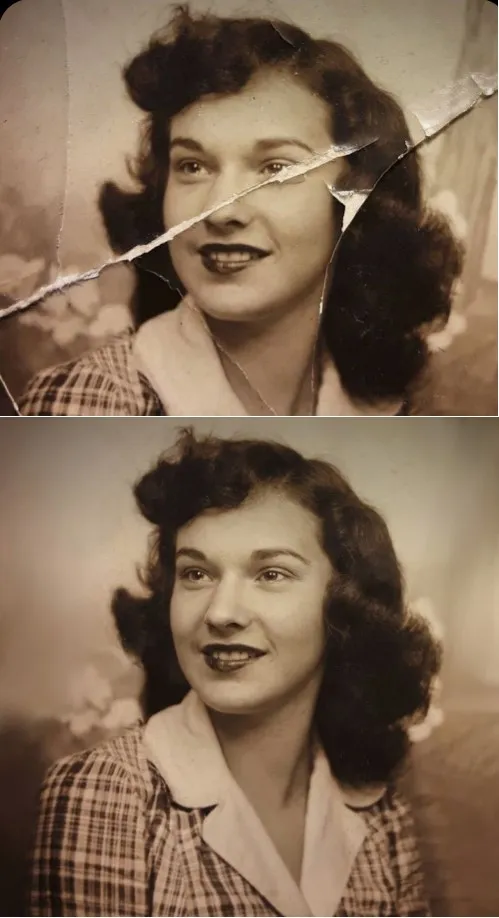
Editing prompts change the scene, adding a hat or swapping a sky. Repair requests leave the scene alone and fix the surface, so the wording is different. Each line below names one defect and one thing to protect. Paste it on Create photo with your scan, or start from a restoration template that already holds a tested prompt.
Resolution and sharpness
Ask for the gain and name what must survive it. "Upscale this photo 4x and keep skin and hair texture natural." "Sharpen the whole frame without bright halos along edges." "Remove JPEG blocks and banding, but do not smooth out small details." Without the second half of each line, models tend to polish faces into plastic.
Noise and film grain
"Remove digital noise in the dark areas and keep the fabric texture." "Clean the grain from this night shot and leave the stars in the sky." Wiping out every speck makes a face look waxy. If that happens, soften the request: "Reduce the noise by half and preserve skin texture." Some grain is part of an old print, so ask to keep it light.
Creases, cracks and fading
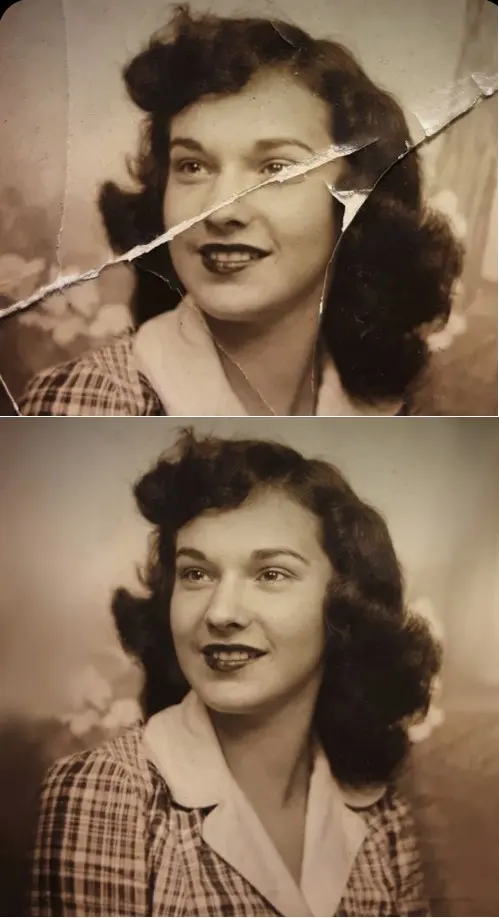
Damaged prints need a repair line and a guard line. "Remove the folds and cracks across the print and rebuild the image underneath." "Take off the yellow cast from age and even out the contrast." "Fix the blurred facial features and keep the expression." Add "do not change the age, hairstyle or identity" at the end, since the model may otherwise tidy the face.
Bringing back lost color
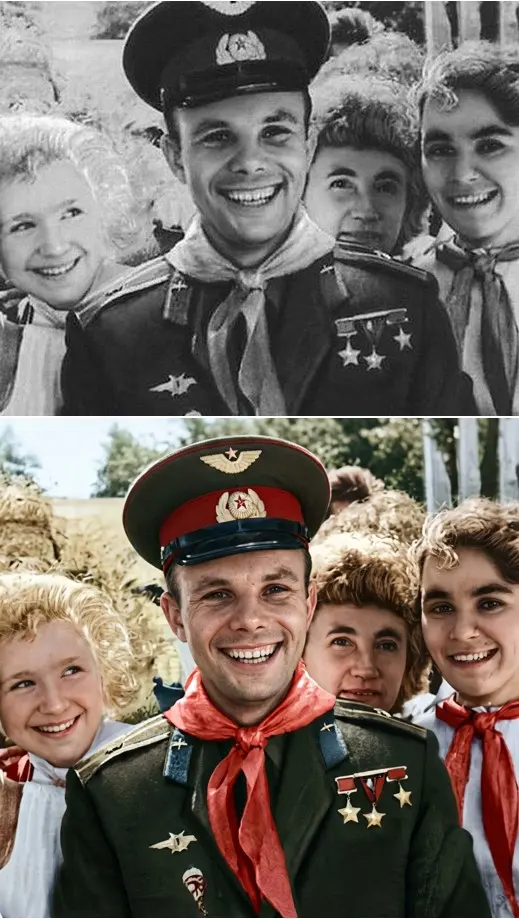
Colorizing is a guess, so steer it with era and mood. "Add color to this black and white photo, with natural tones typical of the 1940s." "Keep the skin tones realistic and the clothing colors muted." When you know the real color of a dress or a car, write it in, because the model cannot know it from gray values alone.
What no prompt can recover
If a detail never reached the film or is fully gone, the model does not restore it, it invents it. A faded face can come back as a similar but different person, and lost lettering turns into plausible nonsense. For family archives, compare the result with the original by eye before it goes into an album, and keep the untouched scan.
Where to run these prompts
Paste any line above into Create photo together with the scan, then pick GPT Image 2.5, Nano Banana or NanoBanana PRO as the model. The grid also has templates with the restoration prompt built in: Crease & Damage Repair for torn prints, Restore & Colorize for texture and color, and Photo Restoration for light, white balance and sharp eyes.
Ready-made templates

FAQ
Do these prompts work in Gemini or ChatGPT?
The wording is plain English, so it reads well in any image model that accepts a photo. On MarketVideo you can try the same text with Nano Banana models or GPT Image 2.5 side by side and keep the version that looks closest to the original.
How much can a photo be upscaled?
There is no fixed number. Small jumps mostly sharpen what is already there; large ones make the model fill in more pixels on its own, and that is where invented detail starts. Upscale in a modest step, check faces and edges, then decide whether to go further.
Can I use a phone shot of a paper print?
Yes. Lay the print flat, shoot it straight on in soft, even light and avoid glare from glossy paper or glass. Crop away the table around it. A clean copy gives the model fewer false defects to chase.
Will the face stay the same after restoration?
When the features are still readable, usually yes, especially if the prompt asks to keep identity, age and expression. Features that are fully lost get filled in by the model, so the result may resemble the person without being them.
What does a restoration run cost?
Runs are charged in stars, and the amount for a template or model appears before you start. Confirming your email when you sign up adds five stars to begin with, some templates are free on certain days, and the Pricing page is the place to top up.