Storm Trend AI: Snap Into a Statue or Anime on the Beat
The Storm trend AI video is a vertical clip that holds still, then on the beat you snap into a marble statue, a manga drawing or an anime character. Templates on MarketVideo build that switch from a single photo.
Turn into a statue on the beatReady in minutes · Free templates every day
Treat it as a storm transition trend that rests on timing rather than on a complicated scene. Below: which photo to upload, which cards already contain the switch, how to write your own version on Create video, and what to do about the track, since nothing here adds the Storm trend song for you.
Why the switch needs a calm start
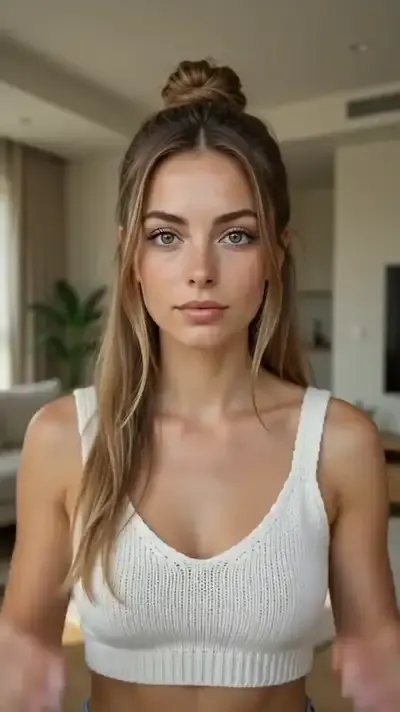
Viewers notice the change only if they had a second to register your face before it. Pick a photo where you face the lens or turn slightly, your head takes up at least a third of the frame and light falls evenly. A busy background or a mid-motion pose blurs the contrast the edit depends on. Only upload yourself or friends who are on board with it.
Templates that already hold the transformation
Anime Transformation has you shape a frame with your fingers, shows your anime self inside it and then turns the entire shot anime. Ancient Statue Frame uses the same finger gesture to reveal you as a classical statue. Both come out vertical, 9:16, with a soundtrack already inside. Reality Meets Manga runs 10 seconds and lets your fingertips pull a manga universe in monochrome into a real room.
Writing a Storm trend prompt on Create video
No card copies Storm one to one, so a custom take starts with words. Describe two states and the cut between them, for example: vertical 9:16, a woman stands still in a dim room for two seconds, then on a hard cut she is a white marble statue in the same pose and framing, static camera. Kling 3.0 can split a clip into separate shots, which suits this before and after.
Dancing and hitting the beat
For the storm trend dance, Viral Dance Trend takes a short clip of the steps you want plus your photo and moves you through the same choreography. The model does not hear the track you plan to post with, so the snap will not land on the drop by itself: trim the start in your phone's editor or in the app you publish from until the switch meets the beat.
Wide cards and stunt cards in the grid
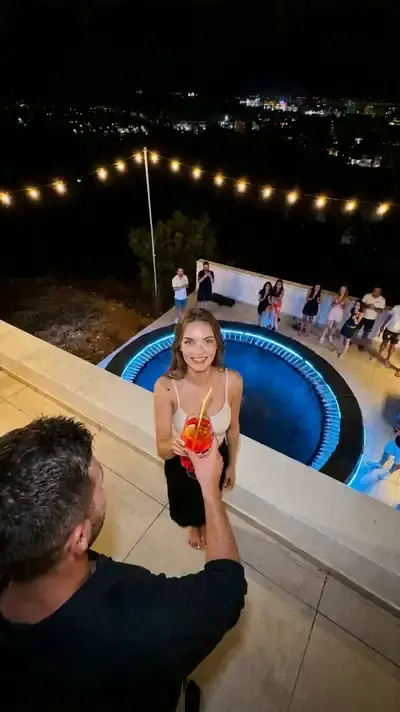
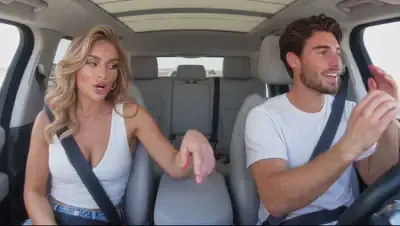
360 Spin, Flying Pickup and Dancing in the Car come out wide, 16:9, so a vertical feed will crop their edges. 360 Spin sends the camera on a full circle around you inside a cozy room, set to music; Dancing in the Car needs photos of a woman and a man who dance and hide behind their palms. Rooftop Party Flip is a 10-second vertical stunt filmed as one unbroken take at a night party.
Ready-made templates



FAQ
Do I need the original Storm video to make one?
Not for the transformation. The finger-frame cards and Reality Meets Manga work from one picture of you, and a written scene on Create video works from your photo plus a description. A source clip only matters for Viral Dance Trend, which copies the steps from it.
Can the Storm trend song be added during generation?
Generation will not fetch a track by its name. Cards that include music arrive with their own soundtrack, and the original Storm audio is easiest to attach when you post, from the sound library of TikTok or Reels.
How long does a Storm transition take to render?
Expect several minutes per clip, and heavy traffic on the servers can stretch the wait. Make the first try short: if your face drifts at the moment of the switch, a longer version will not fix it.
What does a Storm trend video cost?
Every pass spends stars, and each card displays its figure ahead of time. A newcomer's balance opens at five stars after email verification. A few cards also skip payment for a set number of runs per day under a Free today label, and more can be bought through Pricing.
Can I make it with a friend's face or a celebrity's?
Only if that friend is happy with it. Celebrity faces cannot be uploaded, nor can photos of anyone you never asked, and children should appear only in clips about your own family.