How to Make AI Videos From a Photo, Step by Step
To make AI videos on MarketVideo, you pick a ready-made scene, upload one clear photo, start the run and download the finished clip. No editing software or filming is involved.
Make your first AI videoReady in minutes · Free templates every day
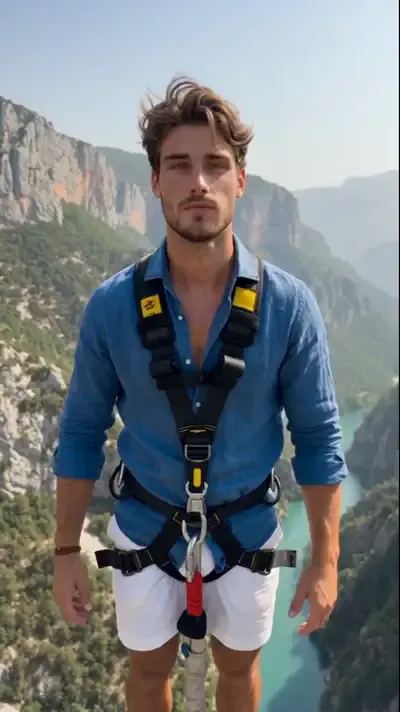
The steps below follow the scenes people usually try first: being spotted by a broadcast camera in the stands of a baseball or soccer game, a bungee jump over a mountain gorge, or a slow camera circle around you in a cozy room.
Step 1. Choose a scene
Browse the catalog of more than 1,000 templates and open one that matches the clip you have in mind. Stadium cameos such as Game Day or Caught at the Ballpark put you among baseball fans while a broadcast camera zooms in on you. Each template shows sample results, the photos it needs and its cost in stars.
Step 2. Upload your photo
Use a sharp, front-facing picture where the face is easy to see; an ordinary phone shot is enough. The template treats it as the identity of the person in the scene. Upload only yourself or someone who agreed to it, and leave out celebrities and strangers.
Step 3. Run it and wait
Press run and the video is rendered on our servers, not on your device. Expect a few minutes for most clips; a long queue can add time. You can close the page: the result shows up in your history once it is done.
Step 4. Download the clip
The finished video saves to your phone or computer as a normal file, ready to post or send. It also stays in your history, so you can return to it later or run the same scene with another photo for a different take.
When no template fits
Go to Create video, describe the scene in your own words, for example a birthday table with candles and friends cheering, and attach a photo if a particular face should appear. Then pick a model such as Veo 3.1 or Kling 3.0 for multi-shot scenes and run it the same way.
Ready-made templates
FAQ
Can I make AI videos for free?
To a degree. Once your email is confirmed, the new account holds 5 stars for first runs, and a few templates each day carry a Free today label with a capped count of no-cost runs. When those run out, top up your balance through the Pricing page.
Do I need video editing skills?
No. The template already holds the scene, the camera move and the timing, so your part is choosing a scene and adding a photo. There is no timeline to cut and nothing to color-grade.
Can I make an AI video from a photo on my phone?
Yes. MarketVideo opens in any modern mobile browser, and you can pick the picture straight from your gallery. There is no app to install, and the same account and history work on a computer too.