Photo to Video with Music: Clips with Sound from Your Pictures
Photo to video with music on MarketVideo means a short AI clip built from your picture that already has sound in it: either a template set to a track, or a video model that renders audio along with the motion.
Animate your photo to musicReady in minutes · Free templates every day
This is not a slideshow editor where you line up pictures and drop an MP3 underneath, and there is no song or melody creation here. You choose a scene, upload a photo, and the movement, camera and sound come out of one generation. Below: which templates to start with, how sound gets into the clip and where the limits are.
Start with a template that already has a beat
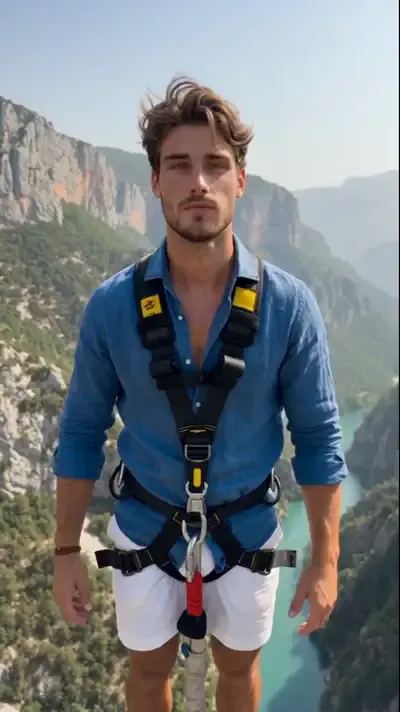
The quickest route is 360 Spin: upload one photo and the camera circles around you in a cozy room to music. Nothing needs editing or syncing, because the scene, the motion and the soundtrack are part of the template. Other cards in the grid, like Bungee Jump over a mountain gorge or Flying Pickup, where a truck sails over you in a field, put your face into a short action scene instead of a still.
Several pictures, one clip
The Scene Collage template takes two uploads: a photo of the main character and a storyboard image that sets the shot order, framing and timing. The model follows that layout shot by shot, so a set of frames turns into connected scenes rather than slides fading into each other. For a trip or a year in review, lay out the moments you want on one collage first.
Sound from the video model itself
When no template fits, open Create video, add your picture and write out the scene, including what should be heard: waves, a cheering crowd, soft piano in the background. Some video models on the site render audio together with the picture, so the clip arrives with sound baked in. Results differ from run to run, and the sound follows your description loosely rather than note for note.
What you get at the end
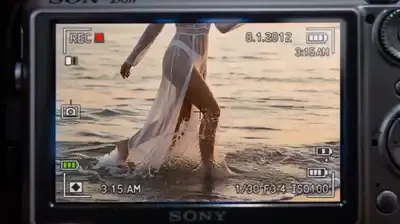
Every generation hands back a single video file with the motion and sound in place. Vertical cards such as Frozen Moment Fly-Through, where a floating handheld camera weaves through a scene frozen mid-motion, suit Reels and TikTok; wide ones like 360 Spin fit YouTube better. Download the file to post it anywhere, and your past runs remain listed in the account if you need one again later.
Limits worth knowing
MarketVideo makes clips, not standalone tracks, so the sound always arrives as part of a generated video. If you need one particular song, add it afterward in a regular video editor. Only upload faces that are yours or whose owners said yes: no celebrities, no strangers, and kids appear only in family clips. Nothing sexual, and no imitation of real documents.
Ready-made templates


FAQ
Can I make a photo to video with music for free?
Up to a point. Signing up is free of charge; after you verify the email, five starter stars appear on your balance, enough for a first clip. A handful of templates also cost nothing each day while their Free today runs last. Past that, every clip is paid in stars, and topping up is done through Pricing.
Can several pictures go into one clip?
Yes, through the Scene Collage template: one photo sets the main character, and a second image works as the storyboard that fixes the order and timing of shots. For a long series, make a few separate clips and join them afterward in whatever editor you already use.
Where does the music in the clip come from?
From the template or the model. A card like 360 Spin is built around a track, and some video models on Create video add audio while rendering, guided by what you write about the sound. MarketVideo has no separate song maker, so plan around the sound that comes with the clip.
Do I need an app to make it online?
No, the site works in any current browser, desktop or mobile, and rendering happens on MarketVideo's side, so even an older phone can handle it. There are no mobile apps to look for in the stores, and one account works across all your devices.
How long does a clip with sound take?
Count on several minutes for each video, and longer at busy times when many runs are queued. Exact timing is never guaranteed, so start the clip a little before you plan to post it.